Subscribe to
Posts
Comments

M-Biblio Workshop

The M-Biblio project recently ran a workshop with 10 students representing a good cross-section of the student population at Bristol. The object of the workshop was twofold. Firstly, to obtain a better picture of the challenges students typically face when collecting and organising bibliographic references and secondly, to explore potential solutions and scenarios to inform work on the phone app.

Pain points

Overall the students gave the impression that collecting and organising bibliographic references was a less than enjoyable experience. It was described as a “messy” affair complicated by a lack of uniformity with regard to presentational expectations. Different lecturers within the same departments often have different requirements as to how references are presented. This lack of consistency in presentational standards is further exacerbated by the plethora of collection and organisational methods being utilised, ranging from handwritten notes to using dedicated packages such as Endnote. Where software was utilised there was the repeatedly flagged up issue of it not working as the students expected, or desired. And with applications such as Endnote, considerable time is needed in order to learn how to use the application efficiently – time students were reluctant to dedicate to something viewed as being peripheral to their central studies.

Mission Impossible

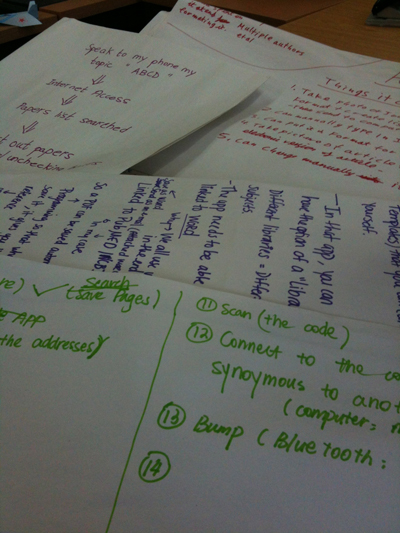
After assessing the status quo the workshop moved on to phase 2 which encouraged the attendees to design their own ideal reference collection and management solution based around a mobile phone. The only constraint was that they had to utilise real features currently available on smart phones.

Some of the ideas that emerged during this stage of the workshop were the ability to:

  • add references from Google Scholar/Web of Science et al
  • easily extract references from PDFs! (i.e. allowing copy & paste, rather than being restricted by locked files)
  • Manually add references
  • photograph book cover, with app automatically recognizing book and pulling in reference
  • scan barcodes
  • scan text information inside front cover (eg ISBN)
  • OCR text (for references or notes)
  • order collected references (alphabetical, by first author is most wanted, but maybe numerically sometimes)
  • filter and winnow references (will collect more than needed to start with, some will be rejected for the actual essay)
  • link or check references are cited within the essay or report
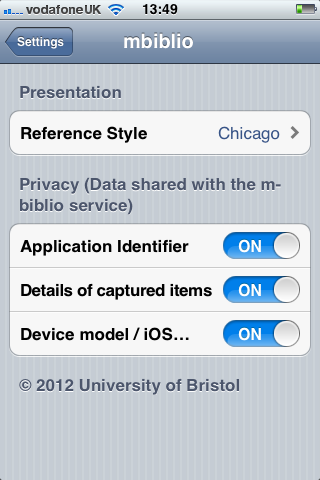
  • format references according to common formats, such as Harvard. Freedom to define custom formats is very important too (to meet whims of lecturers!)
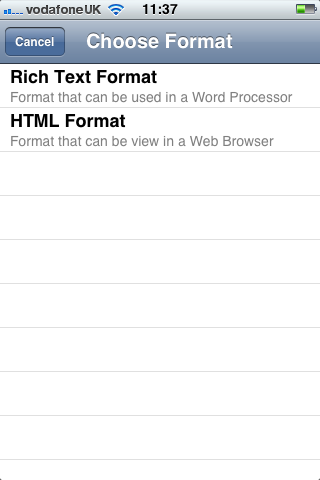
  • export reference list to text/pdf/word formats
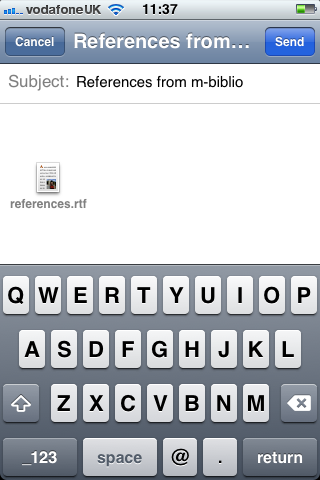
  • share list via email/text/store in cloud
  • produce sensible layout for URIs for web resources (incl correct layout and date viewed)
  • be smart (e.g. identify Smith 2007 as a citation in the essay text and suggest possible references)
  • automatically translate text in documents (like Google Goggles?)
  • manage reference lists

Stuart Church (@stuchurch) of Pure Usability is helping with the student engagement and the user experience aspects of the m-biblio project. Using Bristol Online Surveys, Stuart recently ran a survey of University of Bristol students with some questions on creating bibliographies. There were 67 respondents that covered a range of disciplines and degree schemes, including undergraduates, taught postgraduates and research postgraduates.

Ten of the students then joined a two hour workshop to further investigate the journey they make in creating bibliographies and to identify the pain points. It also examined how mobile devices might be used in the process of capturing and managing citations.

Work from the workshop with students

We will provide a detailed report on the workshop in a future blog post, but I thought it would be useful to provide the responses to the original survey.

1. Approximately how many references do you usually put in your essays?

None: 0.0% 0
1-5 4.5% 3
5-10 17.9% 12
10-20 41.8% 28
More than 20: 35.8% 24

2. What tends to be the approximate ratio of books to journal articles in your reference lists?

Pretty much all books 4.5% 3
25% books / 75% journal articles 34.3% 23
50% books / 50% journal articles 19.4% 13
75% books / 25% journal articles 17.9% 12
Pretty much all journal articles 17.9% 12
Varies too much to say 6.0% 4

3. How do you usually find your references?

Online citation databases (e.g. Web of Knowledge) 36
Google Scholar 49
University library system 38
Via reading lists provided by lecturers 44
Other (please specify): 7

For other, respondents included “a mix of the above”, “academia.edu”, JSTOR, “reference list from other journal articles” and “using bibliographies from relevant books”.

4. Where do you store your references?

In word processor format (e.g. Word) 50
Using bibliographic software (e.g. EndNote, Papers) 14
In a hand-written notebook 15
I don’t store my references 6
Other (please specify): 1

For the “other”, there was a single comment: “When online, I bookmark them”.

5. What’s your biggest frustration about managing references?

This was a free text response but there were a number of common themes:

  • Citing the reference in the correct format
  • Copying the reference format easily from a paper
  • Different lecturers have different preferences for style of referencing, so its difficult to know what style to choose.
  • Endnote not supporting the style I want in word…
  • having to put them all in the exact harvard style of referencing
  • Inputting the data into Endnote
  • Missing information in the sources
  • Needing to know exact page numbers and having to look them up if i forgot to write them down
  • Remembering page numbers for quotations
  • Time-consuming
  • Too many references, often keeping track can be difficult

6. If you could design a simple piece of software to help you manage your references better, what would it do?

Once again, this was a free text response with a number of responses, including:

  • Allow me to: Record according to chosen system (Harvard, etc) Copy directly into essay/thesis Go back to original source (eg. to re-download or checkout of library)
  • Automatically put in references as I put in the sentences
  • Compile them, format them to the desired style and alphabetise
  • format my references
  • insert into word easily without adding random other numbers and things in/li>
  • it could help me to make a right order and help me to check what part I am missing for the references
  • it would automatically put them in alphabetically order and split them into the types of references they are eg books, journals etc
  • It would house your entire bibliography and help in shortening and referencing in the correct style for your department. it would also allow you to keep track of how many times you had referenced a certain source
  • Quick and easy to learn, will format in necessary style
  • Shape the references into the same referencing system.
  • take the journals and books you’ve read and write them in the correct format
  • You would type in title, author, chapter and page refs and the software would automatically create the bibliography reference in the correct standardised format

Keyboard for barcodes

The prototype application will be for devices that run iOS 5. We are developing a proof of concept and can look at developing for a wider range of devices in the future.

The best case scenario means that users can scan barcodes with the camera on their iOS device. In reality, this will only be possible with the iPhone (3GS, 4 and 4S). The iPod Touch and iPad 2 have a fixed focus camera that isn’t suitable for scanning nearby objects. In fact, the Open Source ZBar bar code library we are using says that these devices aren’t supported. The original iPad and older iPod touches have no camera. Even for those devices with suitable cameras, the barcode may be faint or damaged .

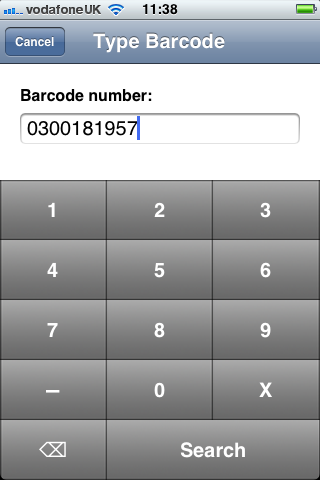
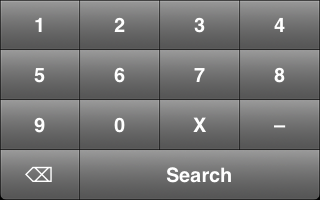
We therefore need to allow for the manual entry of barcodes via a keyboard. In iOS you have a number of prebuilt keypad layouts, including default (standard keyboard), email (standard keyboard with an at sign and period) and numeric. The closest suitable pre-built keyboard was numeric (0 – 9, Delete). However, I also need to accommodate the characters ‘x’ and ‘-’. We don’t actually need the dash (‘-’) for searching ISBN numbers, but I thought it would be less confusing to allow the user to enter the character if it was on the back of a book.

I therefore created a custom keyboard. The image below was my first attempt:

First attempt at a barcode keyboard

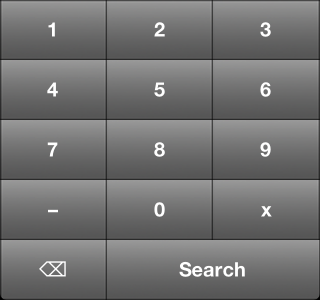
However, it was pointed out that most numeric keyboards only have 3 buttons across. So, this led to my second attempt:

Second attempt at a barcode keyboard

This is more familiar and has larger buttons – especially useful for people with clumsy fingers like myself.

Any thoughts and suggestions welcome :) .

Update

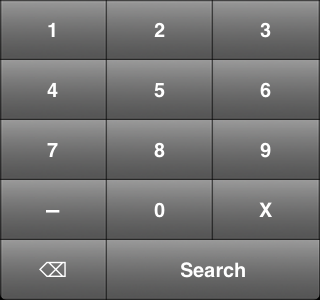
Based on some feedback I’ve increased the size of the X. I’ve also nudged up the size of the dash.

Third attempt at a barcode keyboard

The different shade of grey is an artefact of the way I took the screenshot, I think.

Dev8D

I recently attended the Dev8D conference (14 – 16 February, 2012) which is primarily aimed at developers working in Higher Education, but also attracts developers from other sectors. The conference is a mix of invited speakers, delegates offering talks, workshops and tutorials. The event is free for the attendee and is funded by JISC and other sponsors. The Professional Development Group of IT Services at the University of Bristol were kind enough to fund my travel, accommodation and subsistence.

One of the great aspects of the conference are the whiteboards where delegates can offer to do talks or ask for talks. In the afternoon, those sessions that attracted the most interest went ahead – you put a mark next to a session you were interested in with a marker pen. One such session was the really informative session by Owen Stephens and Thomas Meehan on library data. I’ve started accessing library data for m-biblio and they provided a really useful session on MARC and why library catalogues provide the information in a certain format. The session was a rich mine of information on systems, tools and formats!

For a more detailed report on the event, see my personal blog.

For the app to work well it needs to reference reliable sources of bibliographic data. Already in progress is some code that is capable of pulling bibliographic data from the University’s library system Aleph via the XService API. But more are needed.

The question we need to answer is which sources to concentrate our efforts on in terms of 3rd party services to lookup ISBN numbers.

Initial feedback from members of the team and other developers in the University are as follows:

——————-
“I would rank Amazon below COPAC and British Library for bibliographic record accuracy as it is primarily for buying books which are in print, and the older out of print records are often sketchy ‘marketplace’ records.”
——————-
“Some 3rd party options.”

<http://www.freebase.com/view/book>
<http://www4.wiwiss.fu-berlin.de/bizer/bookmashup/>
——————-

“I used COPAC and Amazon. However you ought to be able to use the British Library national bibliographic records now they’re open.”

These initial recommendations have given us a good starting point. We’ll discuss, test and feedback on findings in a later post.

By virtue of a discussion taking place on the  LIS-MMIT JISCMAIL list I recently found the M-Library Project (http://mlib.blog.com/) which (to paraphrase) is a collaborative project between the University of the Highlands & Islands (UHI) and Edinburgh Napier University.  Funded by the Scottish Library and Information Council (SLIC) it examines user attitudes towards the creation of mobile support services in UK academic libraries, and looks at technologies currently in use in UK academic libraries.

They’ve recently published a report of their findings (http://mlib.blog.com/files/2011/09/The-M-Library-Project-UK-Academic-Libraries-Going-Mobile.pdf) and it draws out some interesting statistics.  Firstly, and most interesting to me, was the question of whether or not the students knew what a QR code was: 82% replied saying that they didn’t.  Only 8% were found to have actually downloaded a QR code reader to their phone and this certainly suggests that for a project like M-biblio (which will utilise QR codes but also other technology), that some effort will need to be put into raising awareness of both the project and the technologies involved.

“82% of students questioned didn’t know what a QR code was”

The second interesting set of statistics drawn out in the report were that nearly 70% of students taking part in the survey (1061 in total) said they owned a smart phone and 50% of those said that they regularly use their mobile phone to browse the web.

More pertinent to this project however were the stats on those utilising their mobile phone for investigating library resources, with only 15% having used it to access the web pages or services of the universities’ libraries in question.  The most common service found to be used was for renewing books online.  However, and perhaps critically, 90% responded saying that they would like access to at least one library service directly on their mobile phone.  It seems from this that the market for an app which can facilitate the collection of bibliographic references may well be there waiting for us.

“90% of students said they would like access to at least one library service on their mobile phone

Both Mike and I feel slightly disappointed that the technology on current smart phones is not really existent to enable us to pursue the idea of looking into near field communications (NFC).  This would have enabled a smart phone app to capture data from RFID tags on books and journals passively.  However, in the near future, this should be feasible and we need to keep our eye on the mobile phone market in order to track what technologies are included on the latest models, such as the upcoming iPhone 5 if and when it finally appears.

“NFC technology isn’t sufficiently developed on current mobile phones to enable passive capture of data via RFID tags”

It certainly won’t be long before these kinds of technologies are widely available and with this in mind it’s interesting to note another statistic that the M-Library report pulled out which was that within the UK there was a 70% rise in smart phone numbers between 2009 and 2010.  It’s also interesting to note that students seem to change their mobile phones on a very regular basis.  81% of those surveyed had owned their current mobile for less than 18 months and 61% had owned their current mobile phone for less than a year.  This shows that new technologies emerging within the mobile phone field very quickly saturate the market.

The report is a very interesting one for anybody considering employing mobile technology within a library context and it also has a good reference section which points towards a lot of other reports and articles around the centre – highly recommended.

Budget

The general shape and form of the budget for this project is available in the budget sheet below.  All data is anonymous.  But for those more keen on graphics than numbers here’s a pie chart showing a simplified version of where the money is allocated.

M-biblio Budget

M-biblio Budget


m-biblio
Directly Incurred
Aug 11 – Jul 12
      TOTAL £
Actual grant
Project Management £5,741.00 £5,741.00 £5,741.00
Technical Development £19,727.00 £19,727.00 £19,727.00
Total Directly Incurred Staff (A) £25,468.00 £25,468.00 £25,468.00
Non-Staff
Aug 11 – Jul 12
      TOTAL £
RFID tag readers £600.00 £600.00 £600.00
User incentives £250.00 £250.00 £0.00
Travel to JISC meetings £300.00 £300.00 £300.00
User Engagement £1,500.00 £1,500.00 £1,500.00
Website design £1,400.00 £1,400.00 £1,400.00
Total Directly Incurred Non-Staff (B) £4,050.00 £4,050.00 £3,800.00
Directly Incurred Total (A+B=C) (C) £29,518.00 £29,518.00 £29,268.00
Directly Allocated
Aug 11 – Jul 12
      TOTAL £
Advisory Group Member £1,519.00 £1,519.00
Advisory Group Member £1,264.00 £1,264.00
Central staff salary costs £1,761.57 £1,761.57
Estates – Bristol £3,517.03 £3,517.03
Directly Allocated Total (D) £9,325.60 £9,325.60
Indirect
Aug 11 – Jul 12
      TOTAL £
Bristol £26,024.36 £26,024.36 £732.00
Indirect Costs (E) £26,024.36 £26,024.36 £732.00
Total Project Cost (C+D+E) £64,867.96 £64,867.96 £30,000.00
Amount Requested from JISC £30,000.02 £30,000.02
Institutional Contributions £34,867.94 £34,867.94
Total cost of project £64,867.96 £64,867.96
Percentage Contributions over the life of the project              JISC         Partner           Total
0.46 0.54 1

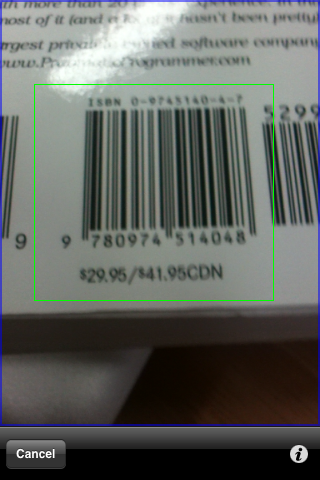
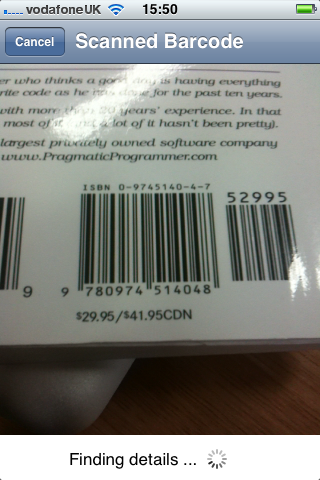
One of the key pieces of information for discovering bibliographic data will be the barcodes on the books – either the barcode used by the Library at the University of Bristol or the ISBN numbers associated with the books.

It would be nice if we could take advantage of the camera on the device to scan the barcode and save the user from having to type the numbers in manually. There are a couple of libraries for scanning barcodes:

  • ZXing (Zebra Crossing) – a Java library with Android support. There is also a partial port to iOS that only supports QR Codes.
  • ZBar – a C library that has bindings for a number of languages and includes an SDK for the iPhone.

These libraries have good support for a number of formats such as UPC-A, EAN-8, Code 128 and QR Codes. However, they don’t support the proprietary telepen format that is very popular in UK academic and public libraries.

It therefore seems that one of the first key development tasks will be adapting one of the libraries to support for telepen barcodes.

Risk Analysis

As with any project there are various risks associated with this one.  Perhaps first and foremost is that we have just one developer working on this project.  If he is unable to complete the project for any reason we will need to hand the work on to someone else within the University’s pool of developers.  Most of the developers work on a multitude of different projects simultaneously with different start and end dates and there is often capacity for someone else to pick up work in other projects as and when necessary.   Much the same applies to the Project Management post.

As previously mentioned there are certain limits to the technology currently available in smart phones.  This is not necessarily a threat to the project but a limitation which needs to be understood in terms of directing effort in the project.  One of the elements of the project we were keen to investigate is whether Near Field Communication (RFID) can be used to facilitate the generation of bibliographic references within a library context.  However, the technology for detecting this form of code is not widely available currently.  There are several devices which can facilitate working with RFID codes on certain mobile phone platforms and we will investigate those but it is likely that the core element of the project will need to focus on other forms of object identification such as bar codes and QR codes.

Advisory Group – a small risk associated with the Advisory Group is the amount of time people have available for supporting the work of the project.  This is something the project manager is currently looking into and efforts are being made to ensure that sufficient time is allocated by advisory group members throughout the duration of the project.

We have also taken action to recruit several other advisory group members partly due to the above but also due to certain gaps that we identified in terms of knowledge and/or expertise.  The “time” risk stated above largely relates to the ability of people to attend physical meetings. However, we have also established a wiki and an e-mail list which means that any information required can be garnered as and when required without impinging on staff time to any substantial level.

Timeline and Work Packages

The project started at the beginning of November and is now due to finish at the end of July 2012.  The following Gantt chart gives a brief overview of the project in terms of its work packages and projected timelines for their completion.

gantt chart

In terms of an overall methodology for the management of the project, although the project manager is Prince 2 qualified it is more likely that we will adopt a more lightweight methodology such as Agile given the nature, short duration and size of the project.

Next »